Useful Documents, Files and Links
The Planning Process
In Very Simple Terms
The planning process can be very complicated with lots of terms and phrases that no one understands so we've created (with the help of AI) a very simple step-by-step guide of how the whole thing works and what to expect next.
You can download it via the button below
Rochford District Council Infrastructure Delivery Plan
Nov 2025
Our GoFundMe Page
Local Plan Response Forms Deadline
We have now created a resident response form with all of our key concerns already filled in for you. Available to download at the button below.
The forms are one per adult over 18, not one per household. So download/print as many as you need. That also includes friends and relatives that are not local, every voice counts.
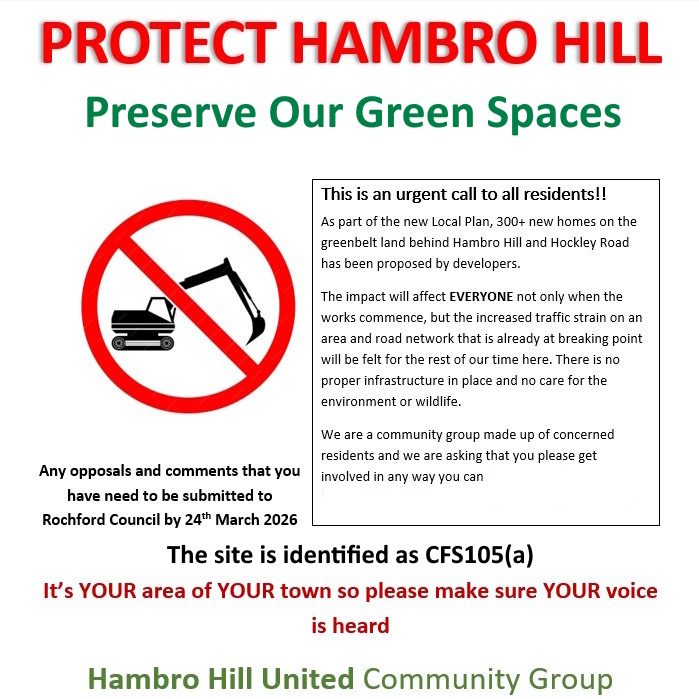
Responses need to be returned to the Council before 24th March deadline.
If you agree with the points raised on the form you simply need to put your name and address at the top of page 1. Sign and date the bottom of page 2. and add any additional comments you might have
All instructions on how to send/deliver/email your completed forms are on the form itself
How To Fill In Digital Forms:
Filling in your form varies depending on the device you are using
If you are still having difficulty filling out your form on your device or you're just more of an old school paper and pen person you can print a blank form and fill it in using black ink.
If you don't have access to a printer just drop us an email at info@hambrohillunited.co.uk and we'll get one delivered to your door
For Apple (ios), iPhone, iPad etc.
1.Open your Files app, find the downloaded response form and open it
2.Tap 'Pages', (if you've never used Pages before you may be asked at this point to confirm the necessary agree/continue options) then press the orange tick next to 'import details'
3.Press the edit button, double tap each text box to enter your details
4. When your form is filled in press the orange tick again and it will automatically save in your Pages app
5. You can then print or email your completed form
For Windows, PC, Desktop etc.
1. Open the file with Word, either with the Word App or free online in your browser. Or if you have a Google account you can go to Google Docs and edit your form there.
2. Fill in your form and click save
3. You can then print or email your completed form
For Android Devices
1. Open the file with either Word or Microsoft 365 (both available on the Google Play Store)
2. Tap the Edit button (pencil icon) at the top of the screen
3.Fill in your form and save, (most devices are set to automatically save)
4.You can then print or email your completed form